
Create findings from transcript text
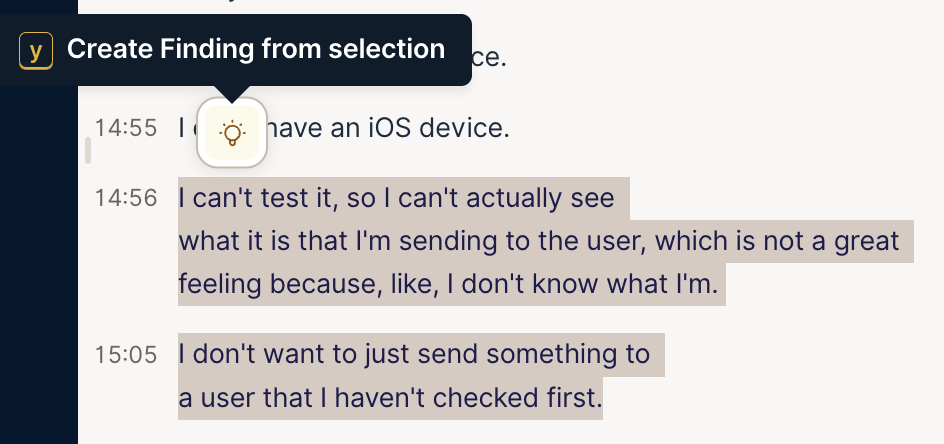
You can now turn a participant’s exact words into a finding. In the player’s transcript, drag to select the words you want. Click the lightbulb that appears, or press Y. The words open as a quote in a Create Finding box, where you can add your own note below them. Press Enter to save, or Escape to close without saving.
The finding’s clip starts and ends with the words you selected, so it plays just that moment. A selection can run across several lines. This works on sessions transcribed from 30 July 2026 on. To use it on an older session, re-transcribe it first from the Transcribe menu in the top right of the player. It sits next to the Eureka toolbar as another way to capture an insight without losing the moment.
Share this post:


